
PvZ Hybrid for PC (Windows)
Remake 0.30 ZIP for Windows, plus Classic 3.18 info, requirements, setup and fixes.
Unofficial fan site · All credit for PvZ Hybrid to 潜艇伟伟迷
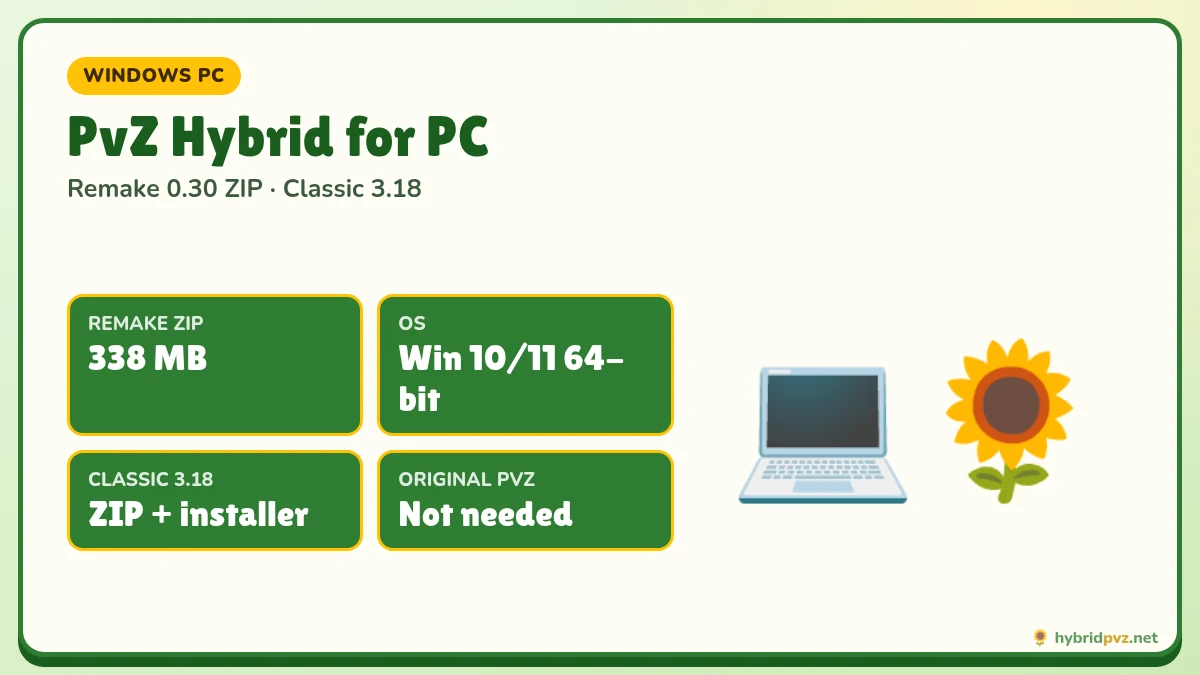
Quick info
Hosted version
Remake 0.30
10 Oct 2026
Platform
Windows 10/11
64-bit for Remake
ZIP size
338 MB
354,406,970 bytes
Classic 3.18
Coming soon
Windows ZIP with installer
On this page
- PvZ Hybrid PC downloads
- Remake or Classic on PC?
- PC system requirements
- Set up Remake 0.30 on Windows
- Set up Classic 3.18 on Windows
- Backing up saves on PC
- Performance tips
- Language and English
- What you get in each PC edition
- Something not working?
- Windows setup in 4 moves
- Remake vs Classic on PC
- Play with a controller or on a laptop
- Frequently asked questions
PvZ Hybrid on PC comes in two editions, and both run on Windows: Remake 0.30 (10 October 2026), the rebuilt and actively updated version, and Classic 3.18 (25 July 2026), the original mod. Both are free fan projects by Bilibili creator 潜艇伟伟迷. This page helps you pick one, download it, set it up and keep your saves safe.
PvZ Hybrid PC downloads
| Edition | Version | Package | Size | SHA-256 | Download |
|---|---|---|---|---|---|
| Remake | 0.30 | ZIP (extract and run) | 338 MB (354,406,970 bytes) | dea3566e5d88475cec4212a8df9e121489d857d736d360fbbc12b3146e496efd | Download ZIP |
| Classic | 3.18 | ZIP with installer | Listed when the file goes live | Listed when the file goes live | Coming soon |
| Level Editor | 0.30 | ZIP | Listed when the file goes live | Listed when the file goes live | Coming soon |
Remake or Classic on PC?
- Pick Remake 0.30 if you want the newest content (Magic Garden, sandbox battles), frequent updates, and the same game you can also play on Android.
- Pick Classic 3.18 if you want the original viral mod, the Space-Time Secret Realm, and compatibility with older guides and videos.
You can install both; they use separate folders and saves. Full comparison: Remake vs Classic.
PC system requirements
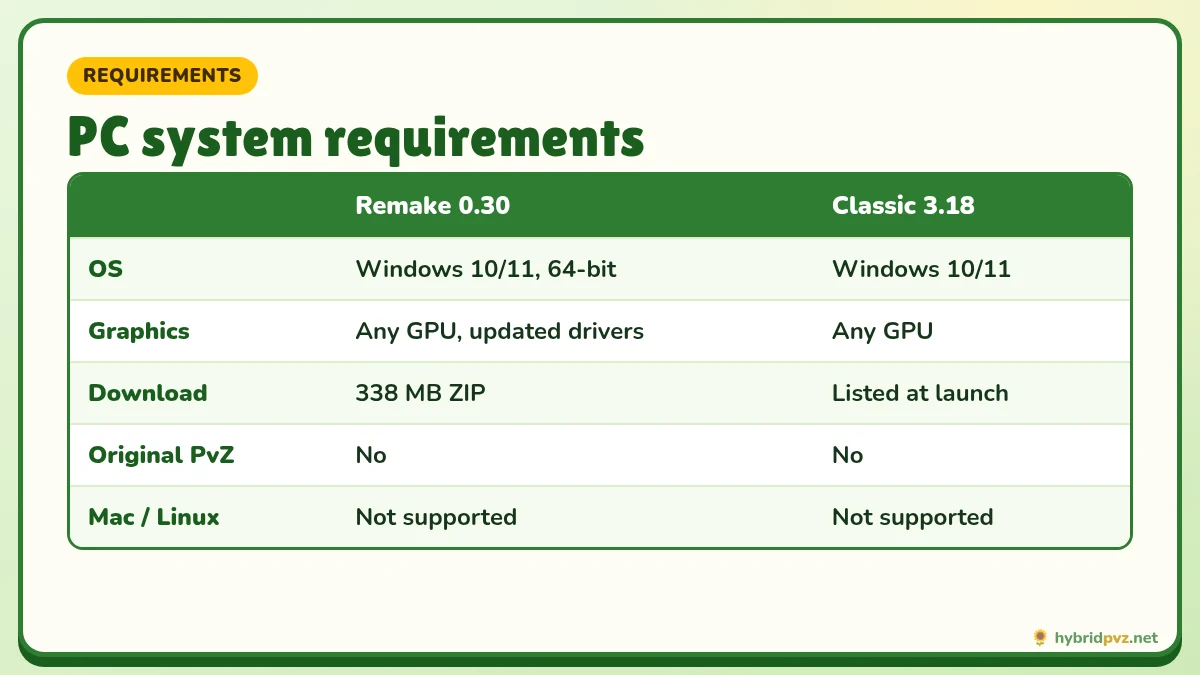
| Remake 0.30 | Classic 3.18 | |
|---|---|---|
| OS | Windows 10/11, 64-bit | Windows 10/11 |
| Graphics | Any GPU with up-to-date drivers (integrated is fine) | Any GPU |
| Download size | 338 MB ZIP (plus space to extract) | Listed when the file goes live |
| Original PvZ needed | No | No |
| Mac / Linux | Not officially supported | Not officially supported |
Remake is a 64-bit Godot engine program, so it will not run on 32-bit Windows. Mac and Linux users sometimes use compatibility layers such as Wine or CrossOver, but this is unsupported and results vary.
Set up Remake 0.30 on Windows
- Download the ZIP and compare its SHA-256: open PowerShell and run
Get-FileHash "$env:USERPROFILE\Downloads\file.zip" -Algorithm SHA256. - Right-click → Extract All into a simple path such as
D:\Games\PvZHybridRemake. Avoid running it from inside the ZIP. - Keep the executable, its
.pckfile and thedata_PlantsVsZombies_windows_x86_64folder together. - Double-click the 0.30 executable. Optionally right-click → Send to → Desktop (create shortcut). Do not move the EXE by itself.
Set up Classic 3.18 on Windows
- Download and verify the ZIP the same way.
- Extract it, open the 植物大战僵尸杂交版v3.18 folder and run the installer (安装程序.exe).
- Follow the prompts and choose a folder you will remember.
- Launch the game from its launcher or desktop shortcut, not the installer.
Detailed walkthrough with both platforms: How to install PvZ Hybrid.
Backing up saves on PC
- Classic: saves live in
%ProgramData%\Popcap Games\PlantsVsZombies\pvzHE\yourdata. Copy the whole folder before updating. - Remake: keep your old extracted folder until the new version loads your progress, and use any in-game export or backup option before replacing a build.
Performance tips
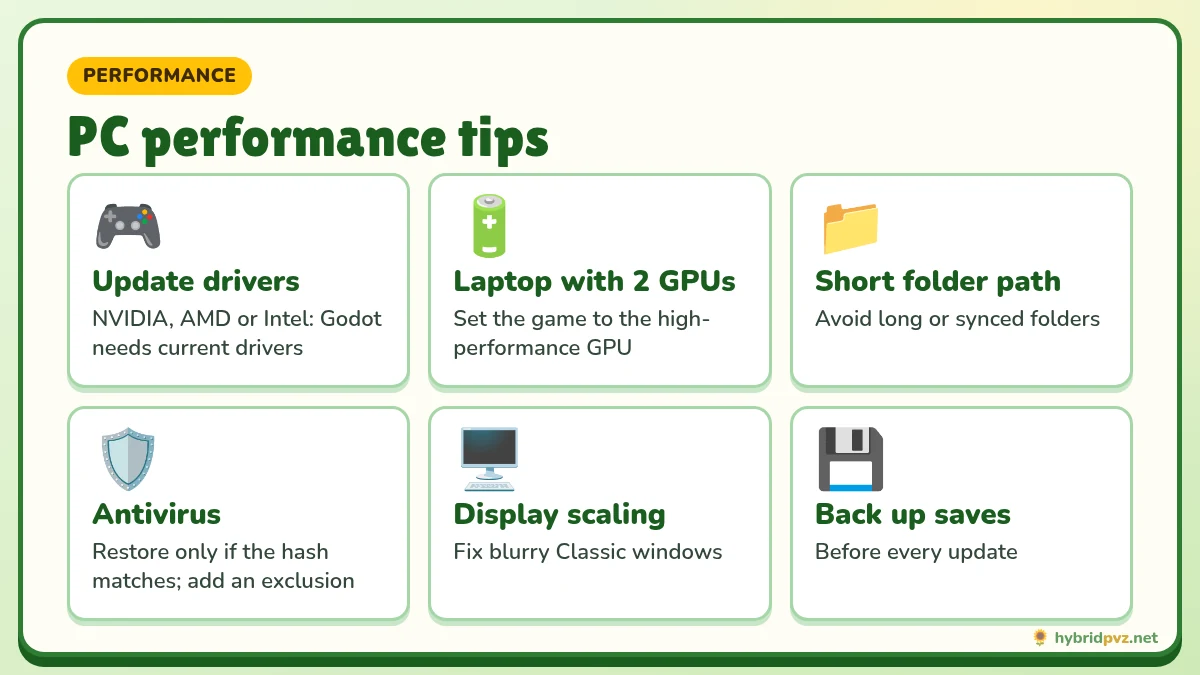
- Update your graphics driver. Godot games are sensitive to old drivers.
- On laptops, plug in and use the “Best performance” power mode for late, crowded waves.
- If the window is tiny on a high-resolution screen, right-click the EXE → Properties → Compatibility → Change high DPI settings → Override scaling.
- Add the game folder to your antivirus exclusions only after verifying the hash, to stop false-positive deletions.
Language and English
Both PC editions are officially in Chinese. On Classic, if text shows as boxes or symbols, set Windows “Language for non-Unicode programs” to Chinese (Simplified) and restart. For fan translations, see our English version guide.
What you get in each PC edition
Remake 0.30 on PC
The PC Remake has the same content as the Android build: the Magic Garden chapter, now expanded with pool maps and stages 10-11 to 10-20, 10 new plants and 10 new zombies added in 0.30, sandbox battles for testing plant and zombie match-ups, plus the Experimental Base and Riverside Lawn content from earlier 0.2x updates. PC players also get the Level Editor 0.30, which is not available on Android. Playing with a mouse makes placing plants quick and precise in crowded late waves.
Classic 3.18 on PC
Classic is the original modification of the 2009 PC game, so it looks and plays like the Plants vs. Zombies you remember, with fused plants and zombies layered on top. Version 3.18 expanded the plant roster and the Space-Time Secret Realm mode and brought balance changes and bug fixes. Because it was the first edition to go viral, most older walkthroughs, challenge runs and tier lists you find on YouTube and Bilibili were recorded on Classic.
Keyboard and mouse
Both editions are played mainly with the mouse: click a seed packet, then click a lawn tile to plant, and click sun to collect it. The shovel removes a plant. Esc or the menu button pauses the game.
Something not working?
Most PC issues come from extracting only part of the ZIP, running the installer instead of the game, or antivirus quarantining a file. Our error fixes page covers black screens, missing resources, crashes and more.
Windows setup in 4 moves
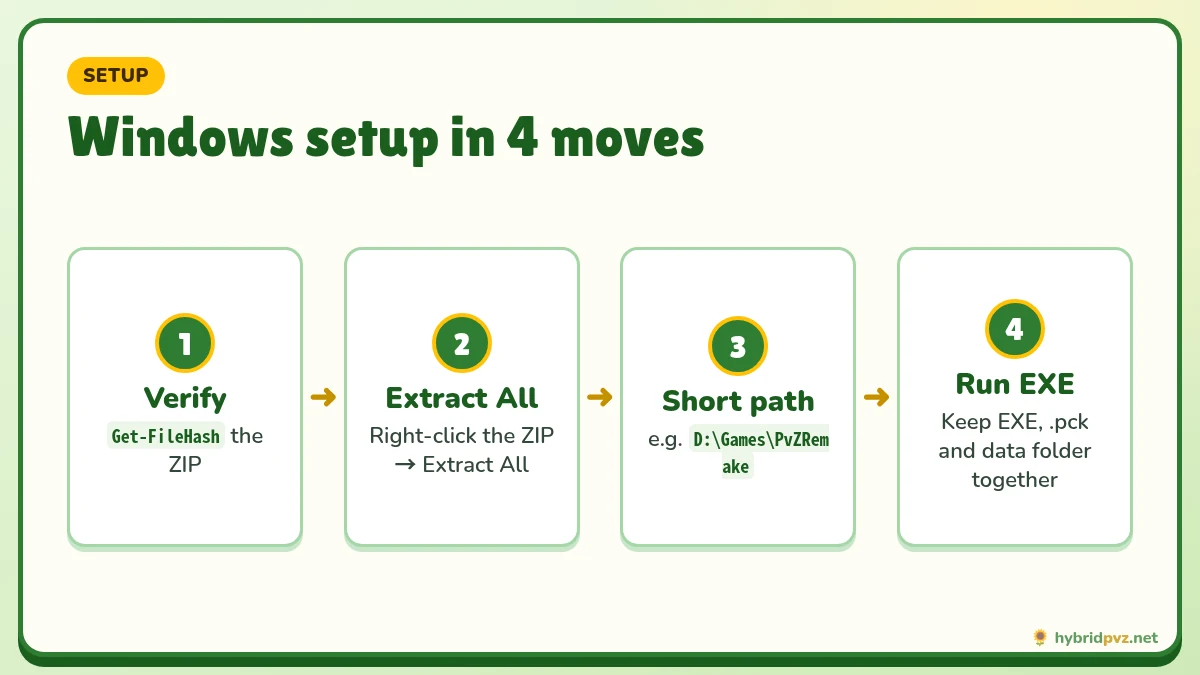
- Download the 338 MB ZIP and compare its SHA-256 in PowerShell:
Get-FileHash "$HOME\Downloads\hybridPvz.net-remake-0.30.zip" -Algorithm SHA256 - Extract all of it into a folder you can write to, like
C:\Games\PvZHybrid. Don’t run the game from inside the ZIP preview. - Keep the files together. The game .exe needs its .pck file and its data folder right next to it.
- Run the game .exe. If SmartScreen appears, check the hash first, then choose “More info → Run anyway”.
Remake vs Classic on PC
| Remake 0.30 | Classic 3.18 | |
|---|---|---|
| Setup | Extract and run | Extract, then run the installer |
| Engine | Godot rebuild | Original PvZ engine |
| Saves | Kept by the Remake app | %ProgramData%\Popcap Games\PlantsVsZombies\pvzHE\yourdata |
| Best for | New players, Android and PC parity | Long-time Classic players |
Play with a controller or on a laptop
Remake plays fine with a mouse or a touchpad. On low-power laptops, plug in the charger and close browser tabs. If the game stutters, run it in windowed mode. We haven’t confirmed full controller support, so a mouse is the safest choice.
FAQs
Can I play PvZ Hybrid on PC?
Yes. Both Remake 0.30 and Classic 3.18 run on Windows.
Which PC version is the latest?
Remake 0.31 (23 Oct 2026) is the newest announced Remake, and we host the verified 0.30. Classic 3.19 (21 Sep 2026) is the newest Classic. They are separate lines.
Does PvZ Hybrid work on Windows 11?
Yes, both editions run on Windows 11.
Does PvZ Hybrid run on Mac?
Not officially. Some players use Wine or CrossOver, but it is unsupported.
Do I need Steam or the original game?
No. Both packages are standalone.
Why does Windows SmartScreen block it?
Fan projects are not code-signed. Click “More info” → “Run anyway” only if your hash matched.
Can I have Remake and Classic installed together?
Yes. They use separate folders and save data.
Can I play PvZ Hybrid on Mac?
There’s no macOS build. Some players use Windows virtualization or compatibility layers, but those aren’t supported and may not work.
Does PvZ Hybrid need the original Plants vs. Zombies installed?
No. Remake runs on its own. Classic also comes with everything it needs inside its installer.
Why does Windows Defender flag PvZ Hybrid?
Fan-made games aren’t code-signed, so SmartScreen warns about them. Compare the SHA-256 first, and if it matches, the file hasn’t been changed since we checked it.
Will PvZ Hybrid run on Windows 7?
The Remake build is for 64-bit Windows 10 and 11. Older Windows versions aren’t supported.
Ready to play PvZ Hybrid?
Grab the latest hosted Remake 0.30, free and verified with SHA-256.